TrxID Verification Guide: How to Confirm Deposits in 60 Seconds
Master the TK999 automated TrxID verification process. Learn where to find your 10-digit transaction ID in bKash, Nagad, and Rocket, and ensure instant balance credit.
- Unique 10-digit alphanumeric code confirms your payment with 100% cryptographic certainty.
- Instant automated verification credits your balance in under 30 seconds.
- Clear visual guides to locating your TrxID in the bKash, Nagad, and Rocket apps.
- Immediate resolution protocols if you accidentally mistype your verification code.
What is a TrxID and Why is it Essential?
When you send money using Bangladeshi Mobile Financial Services like bKash, Nagad, DBBL Rocket, or Upay, the telecommunications network generates a unique, tamper-proof alphanumeric identifier known as the Transaction ID (TrxID). This 8-to-10 character code (e.g., `BK84M9X2P1` or `72K89Q1X`) acts as the permanent digital receipt for your transfer.
On TK999, the TrxID is the bridge that connects your external mobile banking transfer to your personal casino account. Instead of requiring human finance agents to manually review bank statements, our automated gateway scans incoming telecom API records for your specific TrxID, matching the sender, amount, and timestamp to credit your balance in under 30 seconds.
Guaranteed Mathematical Uniqueness
No two transactions in Bangladesh can ever share the same TrxID. This guarantees that your deposit is credited exclusively to your exact account ID.
Elimination of Manual Waiting Times
Automated TrxID matching operates 24/7/365, ensuring your deposit reflects instantly even at 3:00 AM on a holiday weekend.
Where to Find Your TrxID in Major MFS Apps
Locating your TrxID takes just a few seconds once you know where to look:
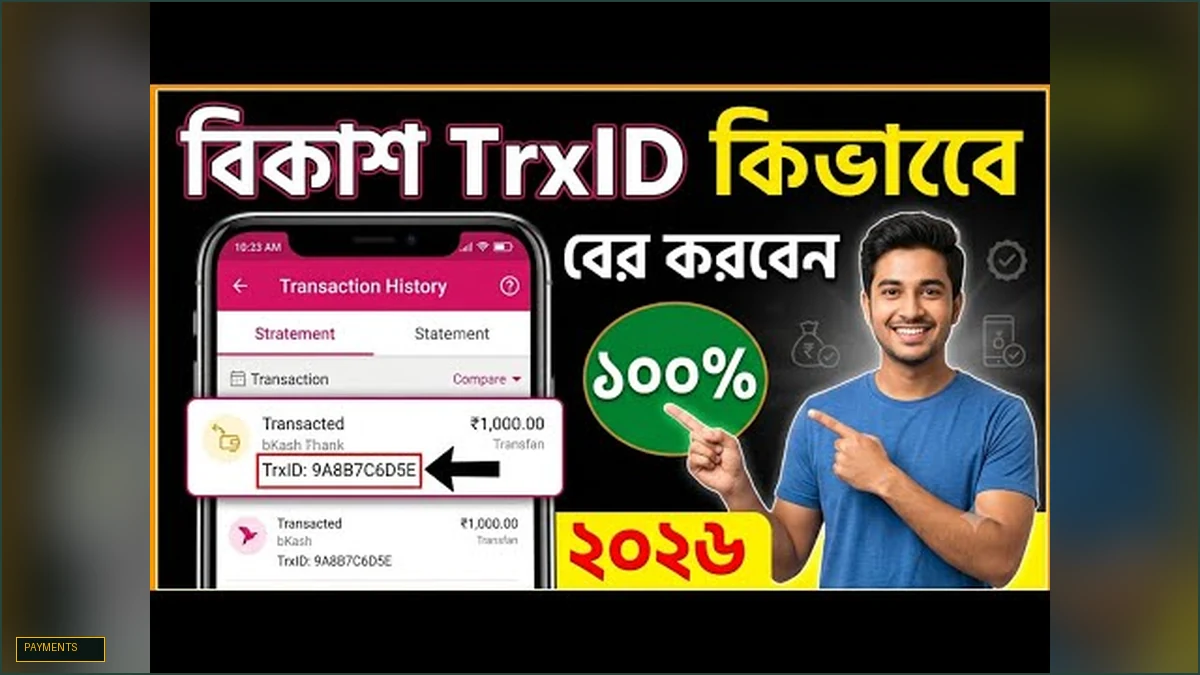
- **Inside the bKash App:** Immediately after confirming your 'Send Money' transfer, the digital receipt screen displays your 10-digit TrxID in bold black letters. Simply tap the copy icon next to the TrxID. If you missed the screen, tap the bKash bird logo at top right > select 'Statement' > view recent transfers. - **Inside the Nagad App:** The confirmation screen displays the 'TrxID' directly below the transaction amount. You can also view past codes by tapping 'History' in the bottom navigation bar. - **Via Confirmation SMS:** Your mobile carrier automatically sends a confirmation text message within 5 seconds of transfer. The message will read: *'Send Money Tk 1,000.00 to 017XXXXXXXX successful. Fee Tk 0.00. Balance Tk... TrxID BK94H7M2Q1'*. Copy the 10-digit code.
One-Tap Clipboard Detection in App
If you are playing on the TK999 mobile APK, copying the TrxID from your SMS or banking app will automatically prompt a 'Paste TrxID' suggestion inside our cashier.
Rocket & Upay Locations
In Rocket, the TrxID is listed as 'TxnID' on the SMS; in Upay, it is listed as 'Transaction ID' on the digital receipt.
Common TrxID Submission Mistakes to Avoid
While TrxID verification is fast and automated, simple typographical errors can prevent our system from matching your payment. Avoid these common mistakes:
1. **Confusing '0' (Zero) and 'O' (Letter):** MFS transaction codes frequently mix numbers and letters. Pay close attention to the difference between the number zero `0` and the capital letter `O`. 2. **Accidental Trailing Spaces:** When copying and pasting from text messages, ensure you did not accidentally copy a trailing blank space at the end of the code. 3. **Mismatched Amount Entry:** If you transferred ৳1,000 in your bKash app, you must enter exactly ৳1,000 in the TK999 cashier amount field. If the amounts do not match, the automated script flags the submission for review. 4. **Submitting Old or Used Codes:** Each TrxID can only be submitted once. Attempting to re-submit a past TrxID will result in an immediate 'Duplicate TrxID' error.
Copy-Paste Over Manual Typing
Always use your phone's copy-and-paste functionality rather than typing the 10 characters manually to prevent human errors.
Verifying Recipient Number
Ensure you sent funds to the current active number displayed in the cashier during that specific session.
What to Do If Your Deposit is Not Credited Immediately
In rare instances, telecom network congestion can delay TrxID logging on provider servers by a few minutes. If your balance has not updated within 3 minutes of submitting your TrxID, follow this simple resolution procedure:
Open the TK999 24/7 Live Chat widget by tapping the yellow chat icon. Send a message stating: *'Deposit pending with TrxID [paste your code]'*, and attach a quick screenshot of your bKash or Nagad confirmation SMS.
Our native Bengali support specialists have direct administrative access to banking backend logs. They will verify your transfer and credit your balance manually in less than 60 seconds.
Zero Risk of Lost Money
As long as you transferred funds to the active number shown in our cashier, your money is 100% safe and will be credited without exception.
Priority Resolution Queue
TrxID inquiries are treated with the highest priority by our customer service and finance teams.
| MFS Provider | TrxID Format & Length | Sample Code | Where to Find Code | Verification Speed |
|---|---|---|---|---|
| bKash (বিকাশ) | 10 Alphanumeric Characters | BK94H7M2Q1 | Receipt screen / Statement / SMS | < 30 Seconds |
| Nagad (নগদ) | 8 to 10 Alphanumeric Characters | 72K8M9Q1 | Confirmation screen / History / SMS | < 30 Seconds |
| DBBL Rocket (রকেট) | 9 to 10 Alphanumeric Characters | 9482710392 | Confirmation SMS (TxnID) | < 30 Seconds |
| Upay (উপায়) | 10 Alphanumeric Characters | UP83920194 | Digital receipt / SMS | < 30 Seconds |
Frequently Asked Questions
Related Guides in Payments & Banking